
Teen Patti Withdrawal Issues: Complete 2026 Troubleshooting Guide
A practical 2026 guide to Teen Patti withdrawal problems, covering failed UPI payments, pending transactions, account verification, minimum withdrawal limits, incorrect bank details, bonus conditions, payment-provider delays, acco...
Download APK2026-08-14 • 5355 words • 27 min read
Teen Patti Withdrawal Problem Fix: What to Check Before You Panic
A Teen Patti withdrawal problem can be frustrating, especially when the balance appears in your account but the requested amount has not reached your UPI ID or bank account. However, a failed or pending cashout does not always mean the money has disappeared. In many cases, the issue is connected to account verification, payment details, a platform-specific withdrawal rule, a minimum threshold, a bonus condition, or a temporary payment-processing delay.
The most important point is that there is no universal withdrawal time or minimum withdrawal amount for every Teen Patti app. Different platforms use different payment providers, account checks, eligibility rules and transaction limits. A number that applies to one app should never automatically be presented as the rule for another. That is why this updated Teen Patti withdrawal problem fix guide focuses on diagnosis rather than promising an instant payout.
Quick answer: If a Teen Patti withdrawal fails or remains pending, first check the transaction status, account verification, minimum withdrawal requirement, linked UPI or bank details, available withdrawable balance, and any applicable bonus conditions. Do not submit repeated requests immediately. If the payment remains unresolved after the platform's stated processing window, contact official support with the transaction reference and payment details, while never sharing your UPI PIN, OTP, bank password or remote-access credentials.
This distinction matters because a withdrawal marked as pending is different from a withdrawal marked as failed, reversed, rejected or completed. Each status requires a different response. A pending request may still be under review or waiting for the payment network. A failed request generally needs correction before another attempt. A completed request that has not appeared in the bank account requires transaction tracing rather than another withdrawal request.
Table of Contents
- Quick Answer: What to Check First
- Understand Your Withdrawal Status
- Main Causes of Teen Patti Withdrawal Problems
- Account Verification and KYC Issues
- Minimum Withdrawal Limits
- UPI and Bank Details
- Bonus and Wagering Conditions
- How to Fix a Pending Withdrawal
- How to Fix a Failed Withdrawal
- What to Do When Payment Says Completed
- Bank and Payment-Provider Delays
- Account Restrictions and Security Checks
- Step-by-Step Withdrawal Troubleshooting
- Beginner-Friendly Withdrawal Guide
- Advanced Troubleshooting Strategy
- Withdrawal Problem Comparison Table
- How to Prevent Future Withdrawal Problems
- Fake Withdrawal Apps and Scam Warning Signs
- Comparing Teen Patti Platforms Responsibly
- Responsible Gaming and Payment Safety
- Teen Patti Withdrawal Checklist
- Expert Diagnosis Strategy
- Frequently Asked Questions
- Final Takeaway
Quick Answer: What Should You Check First?
If your Teen Patti withdrawal is not arriving, do not immediately uninstall the application or create another account. Start with the transaction itself. Open the wallet or withdrawal history and identify whether the request is pending, failed, rejected, reversed or completed.
- Check the exact withdrawal status.
- Confirm that your account verification is complete if the platform requires it.
- Check the current minimum withdrawal amount shown by the platform.
- Verify the UPI ID or bank details character by character.
- Check whether the balance is actually withdrawable rather than promotional or locked credit.
- Review any bonus or promotional conditions connected with the balance.
- Check whether the platform has reported payment maintenance or processing delays.
- Do not submit multiple identical withdrawal requests while the first one is still pending.
- Save the transaction reference, date, amount and payment method.
- Contact the platform's official support channel if the stated processing window has passed.
There is no reliable universal rule such as “all Teen Patti withdrawals arrive within minutes” or “wait exactly 24 hours.” Some services advertise rapid UPI processing, while actual settlement can still depend on verification, payment partners and banking systems. Current platform documentation should therefore take priority over generic claims. For example, publicly available gaming withdrawal guidance shows that KYC, minimum limits and payment processing can all affect a cashout. r1
Understand Your Teen Patti Withdrawal Status
The status displayed in the withdrawal history is one of the most useful pieces of information when diagnosing a payment problem. Many users see the word “pending” and immediately assume that the withdrawal has failed. That is not necessarily the case.
| Status | What it usually means | Best next step |
|---|---|---|
| Pending | The request has not reached its final state. | Check the platform's stated processing window and monitor the transaction. |
| Failed | The payment request could not be completed. | Review payment details, eligibility and the displayed failure reason. |
| Rejected | The platform declined the request, often after a rule or verification check. | Read the reason and contact official support if unclear. |
| Reversed | The transaction was sent back or cancelled. | Check whether the funds returned to the gaming balance or original payment route. |
| Completed | The platform considers the payout processed. | Check the destination account and obtain a transaction reference if funds are missing. |
These labels can differ from one application to another, so treat the platform's own transaction history and payment policy as the authoritative description. A support agent can usually investigate a transaction much faster when you provide the exact status rather than simply saying that the withdrawal is not working.
Why Teen Patti Withdrawal Problems Happen
A withdrawal can fail for several independent reasons. Some are user-side issues, such as an incorrect UPI ID. Others are platform-side issues, such as maintenance or a payment-provider interruption. There can also be eligibility checks that users do not notice until their first cashout.
Common causes at a glance
- Incomplete account verification.
- Incorrect or mismatched UPI details.
- Incorrect bank account information.
- Balance below the platform's current withdrawal threshold.
- Promotional balance subject to additional conditions.
- Bonus eligibility or wagering conditions not satisfied.
- Daily or transaction-level limits.
- Payment-provider or banking delays.
- Account security review.
- Duplicate-account or unusual activity checks.
- Temporary platform maintenance.
- Unsupported payment method or destination account.
Importantly, not every reason applies to every Teen Patti app. A platform may not require KYC before every withdrawal, while another may require verification before the first cashout. Likewise, minimum withdrawal amounts vary. Some published gaming services advertise thresholds as low as ₹50 or ₹100, while others use higher limits. r2
Account Verification and KYC Issues
Account verification is one of the first things to investigate when a withdrawal is delayed, particularly for a first cashout. KYC, or Know Your Customer verification, is used by many services as an identity and fraud-prevention measure. The exact documents and timing vary by platform, so users should follow the current requirements shown inside their account.
A verification problem can occur because the submitted information is incomplete, the document image is unclear, the account name does not match the payment details, or the verification review has not finished. Some platforms may also request additional checks when a transaction triggers their security or compliance process.
How to check your verification status
- Open your account or profile section.
- Look for KYC, Verification, Account Verification or a similar option.
- Check whether the status says verified, pending, rejected or action required.
- If documents were rejected, read the stated reason before uploading them again.
- Use only genuine documents and information belonging to you.
- Retry the withdrawal only after the platform confirms that verification is complete.
Do not send identity documents through random Telegram accounts, unofficial WhatsApp numbers or social-media profiles claiming to be support. If verification is genuinely required, use the platform's official account interface or verified support channel.
Minimum Withdrawal Limits: Why Your Balance May Not Be Enough
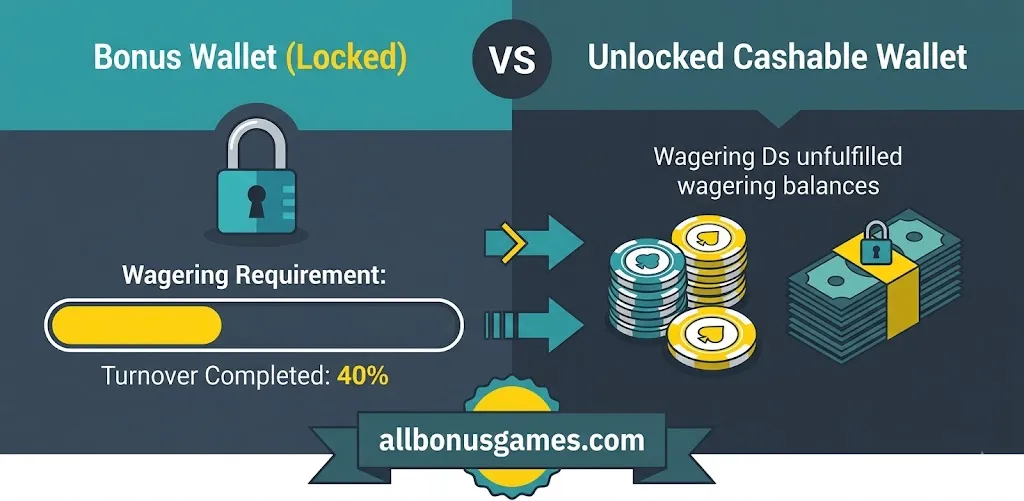
A common misunderstanding is assuming that the entire displayed wallet balance is immediately withdrawable. Some gaming applications separate cash balance, winnings, promotional credits, bonus funds and other wallet categories. The amount available for withdrawal may therefore be different from the headline balance.
The current minimum withdrawal amount must be checked inside the specific platform. Do not copy a ₹100, ₹200 or ₹500 limit from another Teen Patti app and assume it applies to yours. Publicly available withdrawal pages demonstrate that different services can publish different minimums and payment methods. r3
Example
Suppose an application currently requires a minimum cashout of ₹200 and your withdrawable balance is ₹175. The withdrawal request may not be eligible even though your account shows a total balance higher than ₹175. The correct response is to check the wallet breakdown and the current withdrawal rules, not to repeatedly submit the same request.
What to check
- Current minimum withdrawal amount.
- Available withdrawable balance.
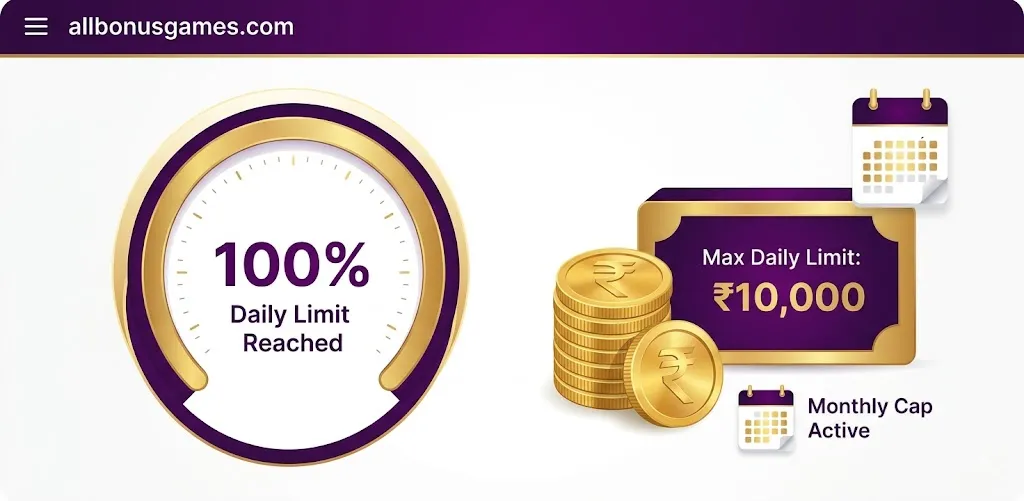
- Daily withdrawal limit.
- Maximum transaction amount.
- Eligible payment methods.
- Any fees displayed before confirmation.
UPI and Bank Details: The Small Errors That Cause Big Problems
Payment details deserve careful attention because a single character can cause a transaction to fail. If the platform allows a UPI ID, confirm that the ID is entered exactly as required. If bank transfer is available, verify the account number, IFSC and beneficiary information according to the platform's current instructions.
Some gaming services explicitly instruct users to use matching payment information or a bank account associated with the verified account. Publicly available help documentation from gaming platforms also identifies incorrect bank details and IFSC information as causes of failed withdrawal attempts. r4
Before submitting a withdrawal
- Check every character in the UPI ID.
- Confirm that the destination account belongs to you where required.
- Check the registered name and payment-account name where matching is required.
- Verify bank account and IFSC information.
- Do not use another person's payment account simply because it is convenient.
- Save the confirmation screen or transaction reference.
Never share your UPI PIN with a gaming platform, support agent, friend or payment intermediary. A UPI PIN is used to authorize certain transactions and should remain private.
Bonus and Wagering Conditions Can Affect Withdrawals
Promotional credits are often treated differently from cash or withdrawable winnings. A deposit bonus, signup credit, free chips or other promotional balance may have eligibility rules, expiry conditions or wagering requirements. The specific terms depend entirely on the platform and promotion.
For example, a promotion may require a user to complete a certain amount of eligible gameplay before some promotional credit becomes withdrawable. That does not mean every Teen Patti app has the same requirement. Never assume a generic wagering multiplier applies to all platforms.
What to review
- Promotion name.
- Eligibility conditions.
- Expiry date.
- Eligible games or transactions.
- Wagering or turnover requirement, if any.
- Whether the bonus itself is withdrawable.
- Maximum withdrawal or reward restrictions.
This is particularly important when a user searches for terms such as “100 free signup bonus Teen Patti app,” “Teen Patti referral bonus,” or “Teen Patti without deposit real cash app.” A headline reward does not necessarily mean that the promotional amount can be withdrawn immediately. The current terms are what matter.
If you are comparing signup promotions, our 100 Free Signup Bonus Teen Patti App guide can be used as a related informational resource. For referral-focused searches, see the Teen Patti Referral Code and Bonus guide.
How to Fix a Pending Teen Patti Withdrawal
A pending withdrawal should normally be investigated differently from an outright failure. First, check how long the transaction has been pending and compare that with the platform's own stated processing time. If the service says withdrawals can require additional verification, allow the stated review period to pass before repeatedly contacting support.
Pending withdrawal troubleshooting
- Open transaction history.
- Record the withdrawal amount and reference number.
- Confirm the destination UPI or bank account.
- Check whether KYC or account verification is pending.
- Read the platform's current withdrawal policy.
- Check for a maintenance or payment-system notice.
- Wait through the stated processing period.
- If the period has expired, contact official support with the transaction reference.
Do not cancel a pending transaction unless the platform explicitly provides a safe cancellation option. Do not create another account to “move” the money. Duplicate accounts can introduce additional verification issues and may violate platform terms.
How to Fix a Failed Teen Patti Withdrawal
A failed transaction normally provides more actionable information than a pending transaction because the payment did not reach completion. Look for a reason code or message. It might mention payment details, account verification, limits, eligibility or a temporary payment problem.
| Possible failure | What to inspect | Practical response |
|---|---|---|
| UPI failure | UPI ID and payment availability | Correct the details and retry only when appropriate. |
| Bank transfer failure | Account number and IFSC | Verify the beneficiary information. |
| Eligibility failure | Withdrawable balance and terms | Review current withdrawal requirements. |
| Verification failure | KYC or profile status | Complete the requested verification through official channels. |
| System error | Platform status and error message | Wait for service recovery or contact support. |
If a failed withdrawal automatically returns the amount to your platform balance, verify that the balance has actually been restored before making another request. Keep screenshots and transaction references until the matter is resolved.
What If the Withdrawal Says Completed but Money Has Not Arrived?
This situation requires a different approach. If the platform marks the transaction as completed but your bank or UPI account does not show the money, do not assume that submitting another withdrawal will fix it.
First, check the destination account and transaction history. Then request the platform's transaction reference or payment confirmation if it is not already displayed. Provide that reference to the payment provider or bank where appropriate.
Check whether the transaction was sent to the correct UPI ID or bank account. If the destination details were incorrect, recovery can be more complicated and may require the payment platform's formal dispute process.
Information to save
- Withdrawal date and approximate time.
- Amount.
- Transaction ID or reference number.
- Withdrawal status.
- Destination UPI ID or bank account identifier, with sensitive information masked when sharing screenshots publicly.
- Relevant support-ticket number.
Bank and Payment-Provider Delays
Not every delay originates inside the Teen Patti application. Payment requests can pass through external banking or payment infrastructure, and a transaction may be affected by temporary service availability, reconciliation, risk checks or processing queues.
That is why claims such as “instant withdrawal” should be interpreted carefully. Instant or rapid processing may describe the platform's normal workflow, but it does not guarantee that every transaction will settle instantly under every circumstance. Public gaming withdrawal documentation commonly notes that verification, bank processing and payment-provider availability can affect timing. r5
Signs that the issue may be payment-side
- The platform confirms the withdrawal request was accepted.
- Your account is verified.
- The payment information is correct.
- The transaction has a valid reference number.
- The platform reports a payment-provider delay or maintenance event.
If several conditions point toward a payment-side delay, repeated withdrawal attempts are unlikely to speed things up. Preserve the transaction information and follow the official escalation process.
Account Restrictions and Security Reviews
Gaming platforms may perform security checks when account behavior or transactions require additional review. The exact triggers are private and vary between services, so users should not assume that a withdrawal block automatically proves wrongdoing.
Potential account issues can include duplicate accounts, inconsistent identity information, unusual payment behavior, suspicious login activity, chargeback-related issues or other violations of platform terms. If the platform asks for clarification, respond through its official support process and provide accurate information.
Do not attempt to bypass an account restriction by opening another account. That can make the original issue harder to resolve and may create a separate terms-of-service problem.
Step-by-Step Teen Patti Withdrawal Problem Fix Method
Use the following sequence when you need a structured troubleshooting process. The order is intentional: it starts with simple checks and moves toward support escalation only when necessary.
Step 1: Identify the exact status
Write down whether the withdrawal is pending, failed, rejected, reversed or completed.
Step 2: Check the withdrawable balance
Do not rely only on the total wallet balance. Look for the amount specifically marked as available for withdrawal.
Step 3: Check the current minimum
Open the withdrawal screen and confirm the current minimum amount rather than relying on a blog post or social-media claim.
Step 4: Verify the payment method
Check the UPI ID, bank account information, IFSC or other destination information required by the platform.
Step 5: Review verification
Confirm that KYC or account verification is not pending, rejected or incomplete.
Step 6: Review promotional conditions
If the balance includes bonus or promotional credit, read the associated terms before attempting another withdrawal.
Step 7: Check service status
Look for maintenance notices, payment interruptions or support announcements.
Step 8: Avoid duplicate requests
Do not repeatedly submit the same withdrawal while the first transaction is pending.
Step 9: Contact official support
If the platform's stated processing period has passed, provide the transaction reference, amount, date and exact error or status.
Beginner Guide: How to Withdraw Without Creating More Problems
If you are new to real-money gaming applications, the withdrawal screen can look more complicated than the gameplay screen. The safest approach is to treat your account and payment setup as a separate process from playing games.
Before playing
- Read the platform's current withdrawal terms.
- Understand whether KYC is required.
- Check the current minimum withdrawal amount.
- Understand which payment methods are supported.
- Review applicable bonus conditions before accepting a promotion.
- Confirm that real-money gaming is legally available to you.
Before your first withdrawal
- Make sure your account information is accurate.
- Complete any required verification.
- Confirm the payment destination.
- Check the exact withdrawable balance.
- Read the confirmation screen before submitting.
This preparation is more useful than searching for a supposed “instant withdrawal trick.” There is no legitimate shortcut that can override a platform's verification, payment or eligibility requirements.
Advanced Troubleshooting for Experienced Users
Advanced users can collect more technical information before contacting support, but they should avoid making unnecessary changes to the device or account.
Compare transaction states
If several withdrawal attempts were made, list each transaction separately. A support team can investigate a single reference much more efficiently than a general complaint covering multiple attempts.
Separate app problems from payment problems
If the wallet page loads correctly but the withdrawal request fails, the application itself may be functioning normally. The problem may instead be eligibility, payment configuration or server-side processing.
Check whether only one payment method fails
If the platform officially supports multiple withdrawal methods, compare the status of the available options according to its rules. Do not switch payment methods repeatedly without understanding whether the platform permits it.
Preserve evidence
Keep screenshots of the transaction status, error message and support response. Mask sensitive information before posting screenshots publicly.
Escalate with a precise message
A useful support request includes the registered account identifier where appropriate, transaction reference, amount, date, payment method, current status and exact error message. Do not include passwords, OTPs, UPI PINs or full payment credentials.
Teen Patti Withdrawal Problems: Cause vs Fix
| Problem | Likely cause | Recommended action |
|---|---|---|
| Withdrawal button unavailable | Eligibility, verification or account restriction | Check account and withdrawal requirements. |
| Withdrawal rejected | Incorrect details or unmet platform condition | Read the rejection message and correct the relevant issue. |
| Withdrawal pending | Review, payment processing or temporary delay | Monitor the stated processing period before escalating. |
| UPI withdrawal failed | Incorrect or unsupported payment details | Verify the UPI information and supported method. |
| Bank withdrawal failed | Bank details, account mismatch or payment issue | Check beneficiary information and official payment guidance. |
| Bonus balance cannot be withdrawn | Promotional conditions | Read the specific promotion terms. |
| Completed but not received | Settlement or destination issue | Obtain the payment reference and escalate. |
How to Prevent Teen Patti Withdrawal Problems
The easiest withdrawal problem to solve is the one that never happens. Good account hygiene can reduce avoidable payment failures.
- Use accurate personal information.
- Keep your account verification information current.
- Use a payment method supported by the platform.
- Check payment details before every new withdrawal method.
- Read bonus conditions before accepting promotional funds.
- Keep records of important transactions.
- Avoid duplicate accounts.
- Do not use another person's payment credentials.
- Do not install modified versions of gaming applications.
- Keep your Android device and browser updated.
- Never share OTPs, UPI PINs or account passwords.
- Set a personal spending limit before playing.
Real vs Fake Withdrawal Experience: Warning Signs
A withdrawal problem is not always a normal technical issue. Some users encounter websites or applications that display an attractive balance but create repeated excuses when the user attempts to cash out. A platform that continually asks for unexplained deposits, “unlock fees,” taxes sent to personal accounts, remote-access permissions or additional payments before releasing funds deserves serious caution.
| Potentially legitimate process | Warning sign |
|---|---|
| Clear withdrawal rules are available. | Rules change whenever you attempt to withdraw. |
| Transaction reference is provided. | No traceable transaction information is supplied. |
| Support uses an identifiable official channel. | Unknown individuals contact you privately for payment. |
| Fees and conditions are disclosed before confirmation. | Unexpected “unlock” payments appear after withdrawal. |
| Identity verification follows a documented process. | Support asks for OTP, UPI PIN or remote device access. |
| Withdrawal status can be viewed in the account. | A fake balance is shown without a meaningful transaction history. |
Consumer complaint records also illustrate that withdrawal disputes can involve unexpected minimum-deposit requirements or prolonged pending states. Such reports are not proof that every platform behaves the same way, but they are a useful reminder to review terms before depositing money. r6
How to Compare Teen Patti Platforms Before Depositing
Instead of choosing an application because it advertises the largest bonus or the fastest withdrawal, compare the practical details that affect the complete user experience.
- Is the platform's identity and support information clear?
- Are withdrawal rules easy to find?
- Are minimum and maximum limits disclosed?
- Are payment methods clearly listed?
- Are bonus terms understandable?
- Is KYC information explained before a cashout?
- Does the platform provide transaction history?
- Are responsible-gaming controls available?
- Does the service comply with the rules applicable to your location?
If your primary interest is finding games with a signup reward, our top bonus gaming apps guide provides a broader informational comparison. For users researching newer services, see new Teen Patti apps launched in 2026.
Readers specifically interested in minimum cashout requirements can also review Teen Patti minimum withdrawal limits explained. If your issue concerns UPI payment methods more broadly, UPI withdrawal earning apps is a related topic.
Gaming Platforms Worth Researching
When comparing mobile gaming services, review the current access method, payment rules, account requirements, game selection and responsible-use information before making a decision.
567R Apk
567R Apk can be researched separately for its current mobile gaming access, interface and available entertainment categories.
Visit WebsiteIndbet.win
Indbet.win is included as a separate gaming resource for readers who want to compare mobile access and available gaming features.
Visit WebsiteEz777 Games
Ez777 Games can be evaluated independently for its mobile interface, gaming categories and current platform information.
Visit WebsiteMM9 Apk
MM9 Apk is another mobile gaming resource that readers can research when comparing application access and platform features.
Visit WebsiteTeen Patti Gold
Teen Patti Gold is a separate card-gaming resource that can be researched for its available game modes and mobile experience.
Visit WebsiteTeen Patti Master
Teen Patti Master can be reviewed independently for its card-game offering, mobile access and current account features.
Visit WebsiteDVIP Games
DVIP Games is included as an additional gaming resource for users researching different mobile entertainment platforms.
Visit WebsiteP77 Pro Games
P77 Pro Games is another platform that can be researched for mobile gameplay, interface design and available gaming categories.
Visit Official Website
Responsible Gaming and Payment Safety
Withdrawal troubleshooting should never become a reason to chase losses. If a withdrawal is delayed, do not deposit additional money simply because someone claims that another deposit will “unlock” your winnings unless the requirement is clearly stated in the platform's official terms and you independently understand the risk.
Real-money gaming involves financial risk. Set a budget before playing and treat deposits as money you can afford to lose rather than guaranteed income. Do not borrow money to continue playing, and do not increase stakes simply because a withdrawal is pending.
Payment security is equally important. No legitimate support process should require you to disclose a UPI PIN or one-time password used to authorize a payment. Never install remote-control software because someone claiming to be customer support says it is necessary to process a withdrawal.
Teen Patti Withdrawal Problem Fix Checklist
- Check whether the transaction is pending, failed, rejected, reversed or completed.
- Confirm the current withdrawable balance.
- Check the current minimum withdrawal amount.
- Verify your account or KYC status.
- Check the UPI ID or bank details.
- Confirm the payment method is supported.
- Review bonus and promotional conditions.
- Check the platform for maintenance notices.
- Do not submit repeated requests while the original is pending.
- Save the transaction reference.
- Contact official support if the stated processing period has passed.
- Never share your OTP, UPI PIN, password or remote-access credentials.
- Keep screenshots of important transaction messages.
- Do not create duplicate accounts to bypass a restriction.
Expert Strategy: Diagnose the Withdrawal in Five Layers
A reliable troubleshooting strategy is to move from the simplest possible explanation to the more complex one. This prevents users from making unnecessary account or device changes.
Layer 1: Eligibility
Ask whether the account is actually eligible to withdraw. Check verification, minimum balance and promotional conditions.
Layer 2: Payment information
Confirm the exact UPI or bank destination. Many payment failures are caused by information that was entered incorrectly.
Layer 3: Transaction status
Determine whether the platform accepted, rejected, reversed or completed the request. This determines what you should do next.
Layer 4: Payment infrastructure
If the account and transaction are valid, investigate platform maintenance, payment-provider delays and banking processing.
Layer 5: Formal escalation
If the stated processing period has expired, contact official support with a complete transaction record. Avoid vague messages such as “my money is not coming.” Give the support team the exact reference and status.
This method is considerably more useful than repeatedly searching for “Teen Patti instant withdrawal” or “Teen Patti withdrawal trick.” A legitimate payment process cannot be accelerated by a secret code or hack.
Related Teen Patti Withdrawal Resources
If your issue is broader than a single failed transaction, use the following related guides according to your specific search intent.
- Teen Patti Without Deposit Real Cash Apps for understanding the difference between promotional credits and withdrawable winnings.
- Teen Patti Instant Withdrawal Apps for comparing the terminology used around fast cashouts.
- Real vs Fake Teen Patti Apps in 2026 for identifying misleading platforms and warning signs.
- Best Teen Patti Apps for Earning Money in 2026 for broader platform research.
- Top Teen Patti Apps in India for 2026 for a wider comparison.
- Teen Patti Referral Code Bonus Guide for referral promotion terminology.
- Smart Teen Patti Tips Without Hacks for gameplay strategy rather than payment troubleshooting.
Frequently Asked Questions About Teen Patti Withdrawal Problems
Why is my Teen Patti withdrawal pending?
A pending withdrawal can be waiting for account verification, platform review, payment processing or banking settlement. Check the transaction history and the platform's current processing information before taking further action.
How can I fix a failed Teen Patti withdrawal?
Read the exact failure message first. Then check your verification status, withdrawable balance, minimum limit and payment details. If the problem continues, contact official support with the transaction reference.
Why is my UPI withdrawal failing?
Possible causes include an incorrect UPI ID, unsupported payment route, account mismatch, payment-provider issue or a platform-side restriction. Verify the details and supported method before retrying.
Can KYC stop a Teen Patti withdrawal?
Yes, if the specific platform requires identity verification before withdrawals and your verification is incomplete or under review. Requirements differ between services.
What is the minimum Teen Patti withdrawal amount?
There is no universal minimum. Each platform can set its own threshold, and different payment methods may have different rules. Check the withdrawal screen or current terms for the specific app.
Why did my withdrawal fail even though I have enough balance?
The displayed balance may include promotional or restricted funds, or another requirement may not have been satisfied. Check the amount specifically marked as withdrawable and review the relevant promotion terms.
Can a signup bonus prevent withdrawal?
It can if the particular promotion has conditions that must be completed before the related funds become withdrawable. The exact rules vary by promotion.
How long does a Teen Patti withdrawal take?
Processing time varies by platform, payment method, verification status and banking or payment-provider conditions. Do not rely on a universal promise such as five minutes or 24 hours.
What should I do if my withdrawal says completed but I received nothing?
Check the destination account and transaction history, then obtain the platform's payment reference. If the funds are still missing, contact the platform and, where appropriate, the relevant payment provider or bank.
Should I cancel a pending withdrawal?
Not unless the platform provides a legitimate cancellation option and its instructions say that cancellation is appropriate. A pending transaction may already be moving through the payment process.
Should I create another Teen Patti account if withdrawal fails?
No. Creating another account can introduce duplicate-account or verification problems. Resolve the original account through the platform's official support process.
Can clearing the app cache fix a withdrawal problem?
It can help with an application interface that is displaying stale or incorrect information, but it cannot repair a payment-provider failure, incorrect UPI details or an account restriction. Treat cache clearing as a technical troubleshooting step, not a guaranteed payment fix.
Can I share my OTP with support to complete withdrawal?
No. Do not disclose OTPs, UPI PINs, passwords or remote-access credentials to people claiming to be support. Use the official support workflow instead.
Why does a platform ask for another deposit before withdrawal?
There can be legitimate platform-specific conditions, but an unexpected request to send additional money merely to unlock an existing withdrawal is a major warning sign. Verify the requirement directly against the platform's official terms before paying anything.
Are all Teen Patti apps required to have the same withdrawal rules?
No. Minimum amounts, payment methods, KYC requirements, processing times and promotional conditions can differ substantially between services.
Can a payment-provider outage cause a Teen Patti withdrawal failure?
Yes. A withdrawal can depend on external payment infrastructure, so temporary service interruptions or processing delays can affect an otherwise valid request.
Is an instant withdrawal guarantee reliable?
“Instant” is promotional language unless the platform clearly defines the conditions and exceptions. Even rapid payment systems can experience verification, banking or payment-provider delays.
What information should I give customer support?
Provide the transaction reference, amount, date, payment method, current status and exact error message. Do not provide your password, OTP, UPI PIN or other authentication secrets.
Can I withdraw promotional chips directly?
Not necessarily. Promotional chips, bonuses and cash winnings may be treated differently. Read the specific promotion's terms to determine whether and when promotional value becomes withdrawable.
Where can I learn more about Teen Patti withdrawal limits?
You can review our Teen Patti minimum withdrawal limit guide for a focused explanation of thresholds, but always verify the current limit shown by the individual platform before submitting a transaction.
Final Takeaway: Solve the Teen Patti Withdrawal Problem Systematically
A Teen Patti withdrawal problem does not have one universal fix because the underlying cause can be completely different from one transaction to another. The strongest troubleshooting approach is to identify the exact status first, then check verification, withdrawable balance, minimum limits, payment details, bonus conditions and processing status in that order.
Do not assume that a ₹100 or ₹500 withdrawal limit, a specific KYC rule, or an “instant” processing time applies to every Teen Patti application. Current platform terms and the transaction screen are more reliable than generic claims copied between gaming websites.
If your request is pending, give it the stated processing period and preserve the transaction reference. If it failed, investigate the displayed reason before trying again. If it says completed but the money has not arrived, request a traceable payment reference rather than submitting repeated withdrawals.
For users researching Teen Patti withdrawal apps, signup bonuses, referral rewards or instant UPI cashouts, remember that the largest advertised reward is not automatically the best choice. Look for transparent withdrawal rules, clear account requirements, accessible support, secure payment practices and responsible-gaming information.
Most importantly, protect your payment credentials. Never share your OTP, UPI PIN or password to “unlock” a withdrawal, and never install remote-access software because someone claims it is required to release your winnings. A safe withdrawal process should be understandable, traceable and governed by clearly stated terms.
⚡ Limited Time Bonus Offers
New bonus apps added daily. Don’t miss your chance to claim free rewards today!
Claim Your Bonus✅ 100+ Apps • 💰 Daily Bonuses • ⚡ Instant Withdrawals
🔥 Related Posts

Teen Patti Master APK Download 2026: Features, Installation & Complete User Guide
2026-07-21
Best UPI Withdrawal Earning Apps India 2026 – Fastest Instant Cashout Gaming Platforms
2026-05-15

Teen Patti Master Tournament Guide 2026: Rules, Modes, Rewards & Smart Tips
2026-08-31

Best ₹100 Free Signup Bonus Teen Patti Apps in 2026 – Instant Rewards & Real Cash Guide
2026-04-15

Teen Patti Real Cash App Without Deposit – Get Free ₹100 Bonus (2026)
2026-04-15
Best ₹100 Daily Earning Apps Without Investment in India (2026) – Trusted Gaming & Reward Platforms
2026-05-27